
Latest Version
Wazzaps
Design
Linux
Free
io.github.wazzaps.Fingerpaint
Report a Problem
More About Fingerpaint
Turn Your Laptop Touchpad Into a Drawing Canvas
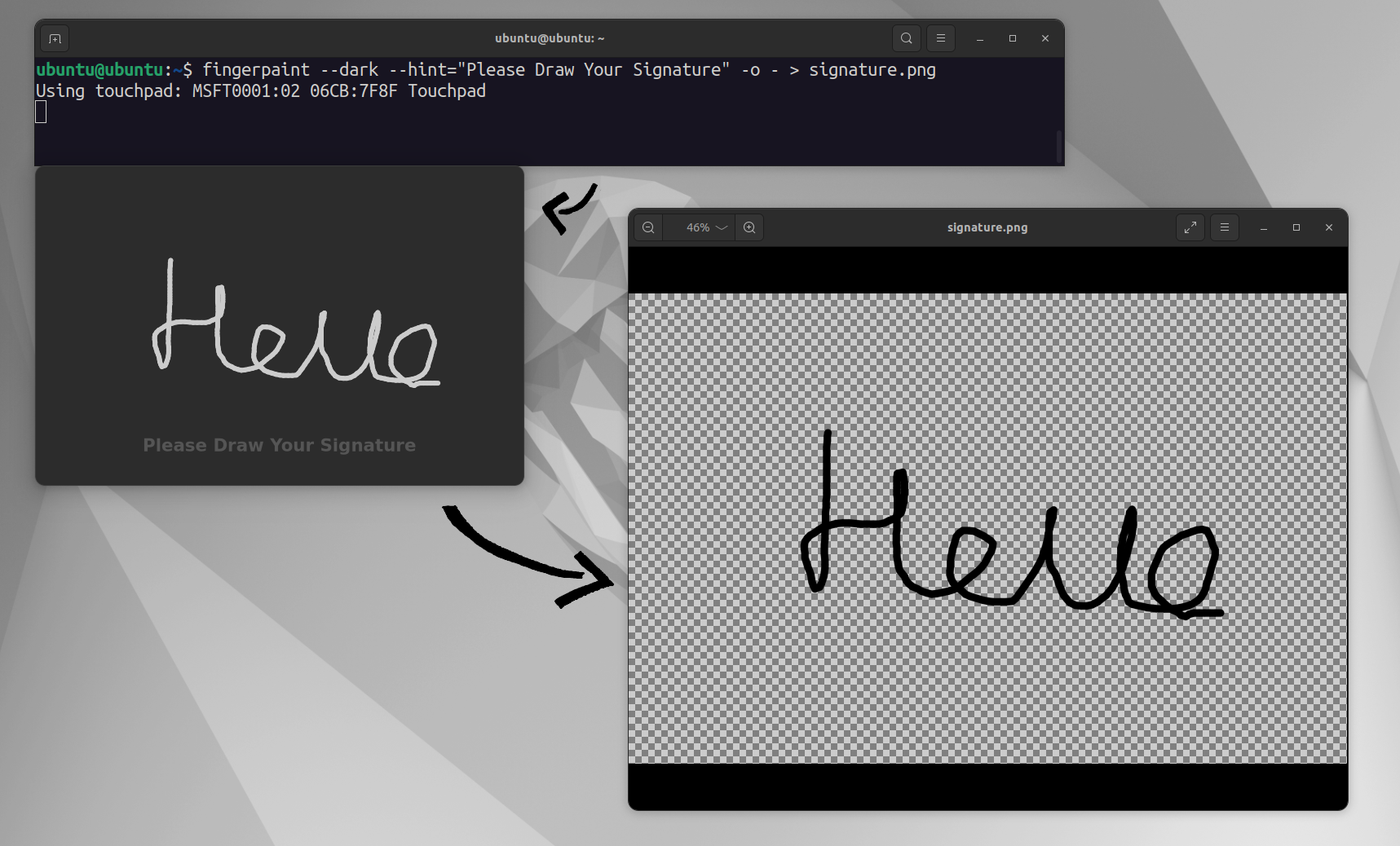
Imagine you are on a train or sitting in a coffee shop without your graphics tablet, and you urgently need to sign a digital document or sketch a quick mock-up. Using a traditional mouse or standard trackpad navigation can make your lines look shaky and unprofessional. This is where Fingerpaint touchpad drawing utility steps in to solve your creative dilemmas on the go.
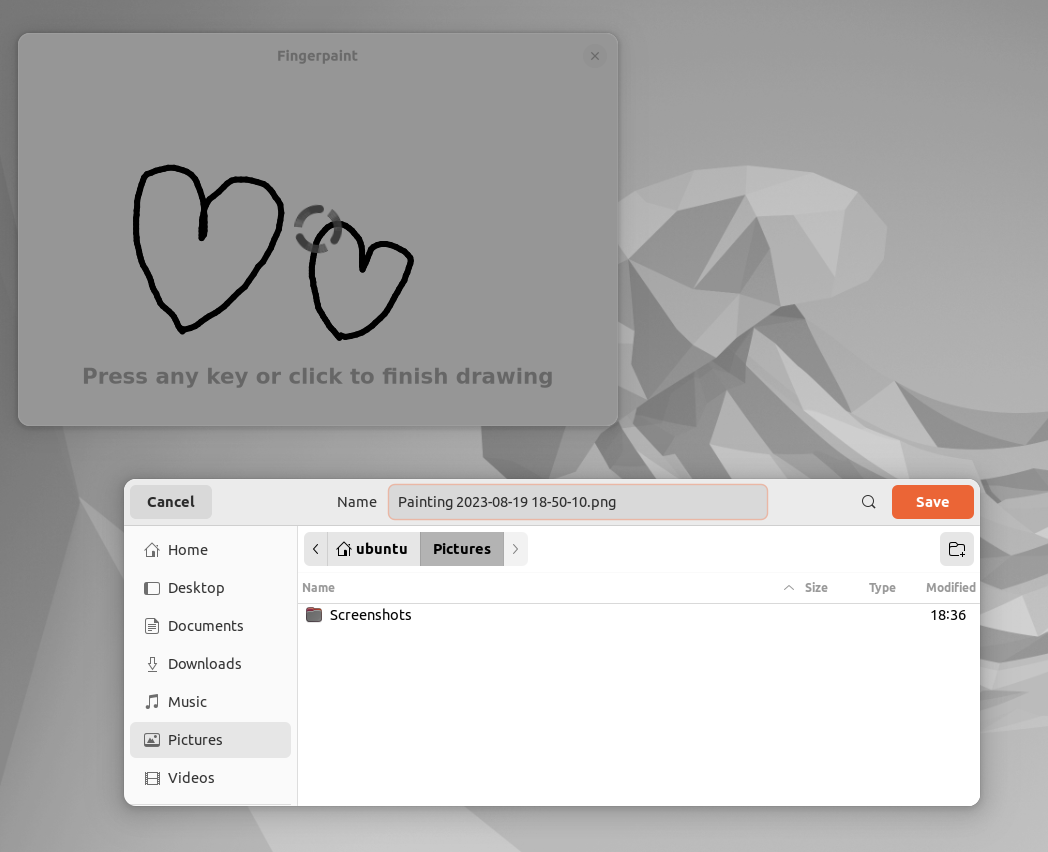
Developed by Wazzaps, this lightweight design utility repurposes your built-in hardware, allowing you to use your finger directly on the trackpad to sketch, write, or draft designs. By temporarily disabling cursor movement, it maps the physical surface of your trackpad directly to your digital canvas for a much more intuitive and natural drawing experience.
How the Fingerpaint Touchpad Drawing Utility Works
The mechanics of the application are elegantly straightforward. When you activate the software, your system's touchpad stops controlling the mouse pointer. Instead, every stroke of your finger translates directly into digital ink on your screen. Here is what you need to know about its operation:
- Seamless Controls: Pressing any keyboard key or physically clicking your touchpad instantly finalizes your current drawing session.
- Dual-Input Compatibility: While your touchpad is dedicated to drawing, any connected external mice remain fully functional, allowing you to navigate menus or change tools without interrupting your workflow.
- Display Server Integration: It offers robust compatibility across different Linux environments, supporting X11 natively and providing tailored integration for GNOME desktop users on Wayland.
Who is This Linux Utility For?
This software is an excellent addition to the toolkit of any Linux user who needs quick, precise input without carrying extra peripherals. It is highly beneficial for digital artists needing to make quick drafts, professionals signing PDF documents on the fly, or educators drawing quick diagrams during virtual presentations.
Our Verdict
For Linux users seeking a minimalist, distraction-free input method, this utility bridges the gap between hardware limitations and creative needs. To try this unique tool yourself, head over to the official Flathub store page to explore its installation options and integrate Fingerpaint touchpad drawing into your design workflow today.
Rate the App
User Reviews
Other Apps in This Category







Popular Apps










Editor's Choice